June 24th, 2026
New
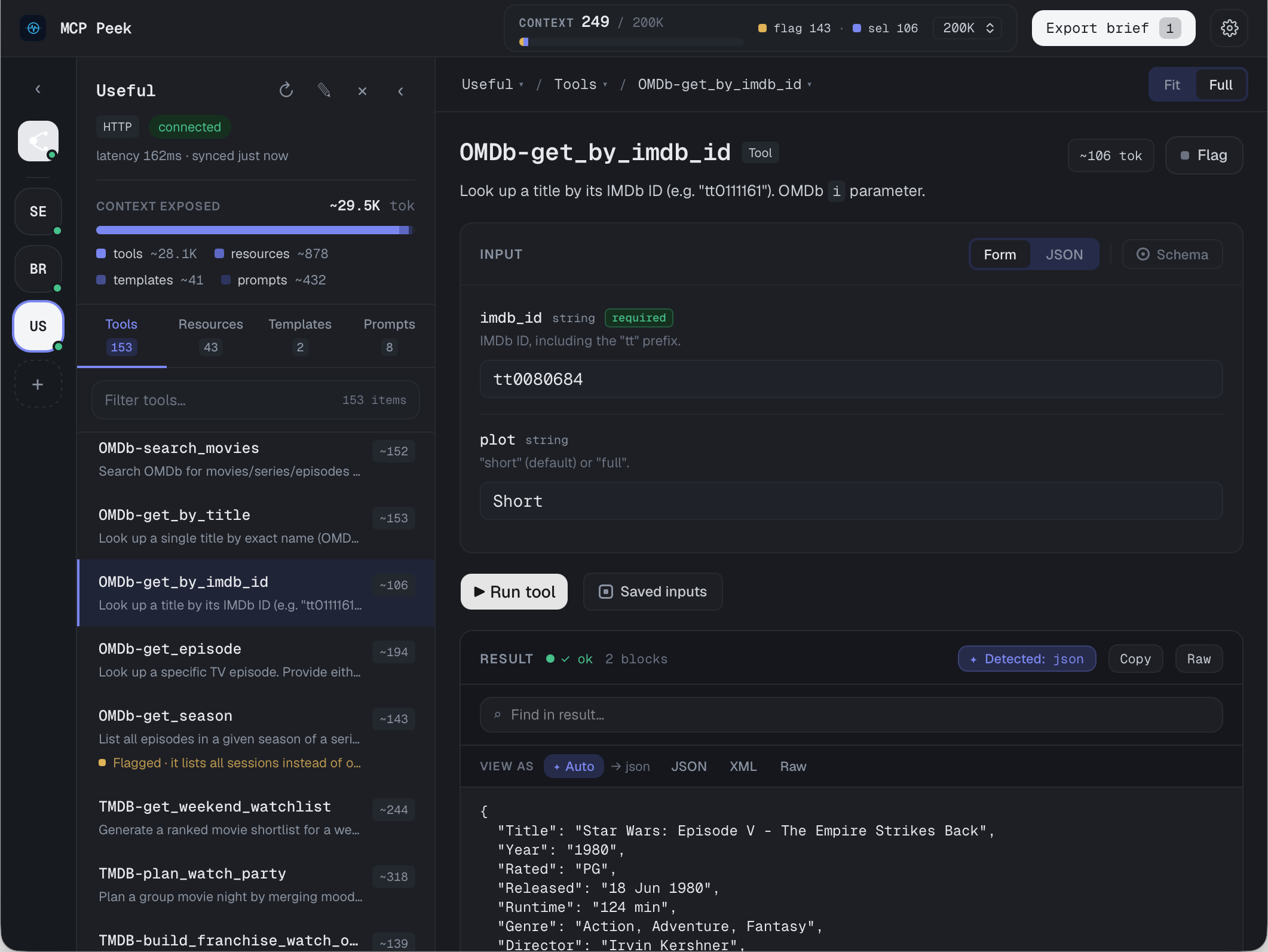
MCP Peek 1.0.0 — inspect, run, and proxy any MCP server
MCP Peek is here. 🎉 A fast, native desktop app for working with Model Context Protocol servers — connect, explore, exercise, and turn what you find into context for your coding agents. This first release ships everything you need to go from "what does this server actually expose?" to "here's a brief my agent can use."
🔌 Connect & explore
Connect to MCP servers over HTTP or stdio, with per-server transport, auth, and environment settings.
Browse a server's full catalog — Tools, Resources, Resource Templates, and Prompts — with search, category tabs, and live status.
Servers and connections reconnect on launch so you pick up where you left off.
▶️ Run things, fast
Schema-aware input forms generated automatically from each tool's JSON Schema — including nested objects, arrays, and maps.
JSON Skeleton generator for tool inputs: scaffold all fields or required-only, with clear <required>/<optional> markers, and fill from the form (replace or merge).
Resource Template inspector with RFC 6570 URI expansion — fill the parameters, preview the resolved URI, and read the resource.
Saved Inputs to recall named argument sets for any tool.
🔎 Proxy & observe
Proxy mode sits between a client and a server so you can watch the live JSON-RPC flow in real time — every request and response, as it happens.
📋 Flag & export
Flag interesting tools, resources, and prompts as you explore, then export a Markdown brief — ready to hand to Claude or any coding agent as context.
A context gauge keeps a running token estimate of what you've selected and flagged.
🖥️ Native on every platform
Universal macOS (Apple Silicon + Intel), Windows, and Linux (AppImage + .deb) — all code-signed and notarized.
Built-in auto-update: a quiet check on launch plus an in-app banner when a new version is ready — one click to install and relaunch.
🔒 Private by design
All network traffic and telemetry runs in the native core, never the UI. Crash reports are scrubbed of anything sensitive; product analytics are off by default and opt-in.
Free vs Pro: Everything above is free to try. Pro ($19, one-time) unlocks unlimited Saved Inputs and the Export Brief — grab a license.
Got feedback or a feature request? This board is the place — we read everything. 🙏